B2B Sales Enablement Video — How Video Content Shortens Sales Cycles and Closes Deals Faster
B2B Sales Enablement Video — How Video Content Shortens Sales Cycles and Closes Deals Faster
Your sales rep sends 40 emails a day. The average response rate? 3%. They manage to book a meeting with every fifth prospect. Out of those meetings, half end at the "send us a proposal" stage — followed by silence. The sales cycle drags on for months, the pipeline swells with "in progress" deals, and revenue forecasting becomes pure fiction.
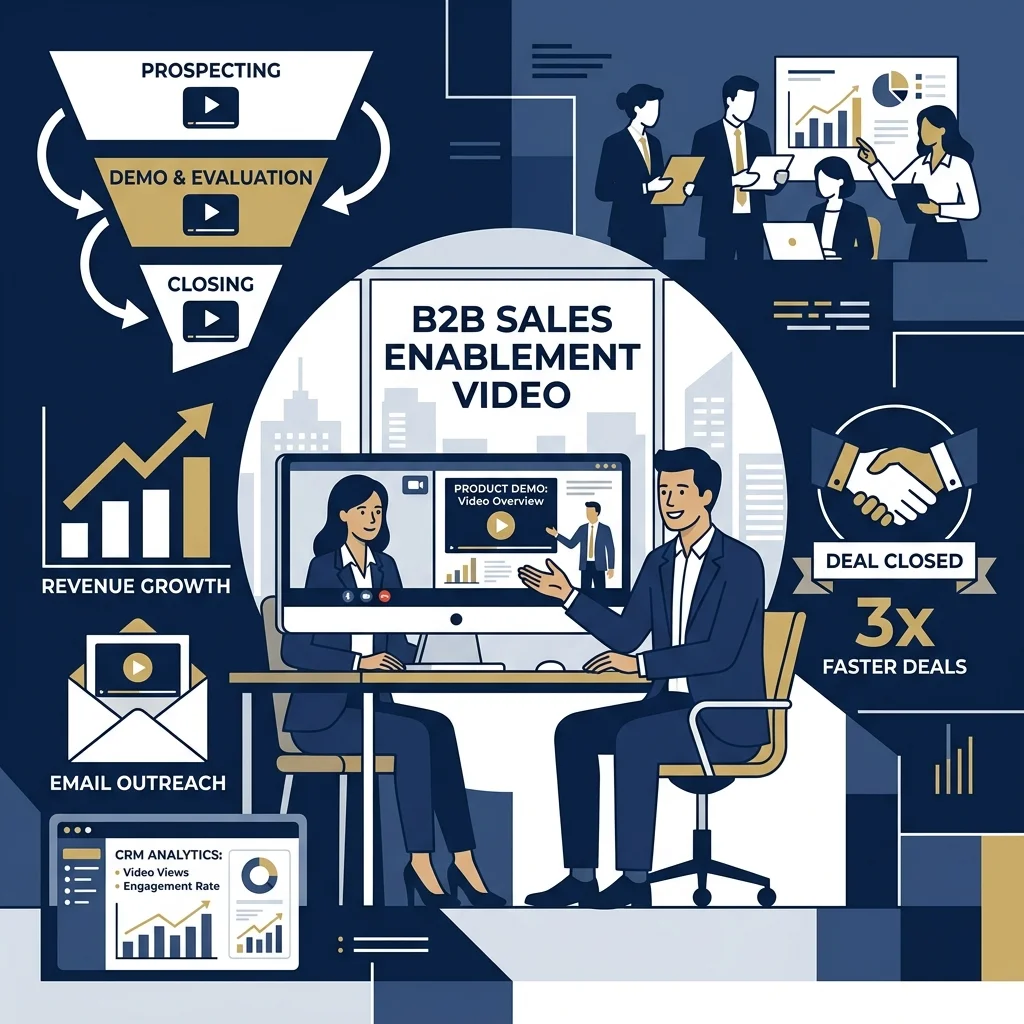
Now imagine a different scenario: your sales rep sends a personalized video instead of a text email. The response rate jumps to 16%. During the meeting, instead of a 45-minute PowerPoint presentation, the prospect watches a two-minute demo video at their own convenience. A case study video is sent over, which the prospect then forwards to the executive board as an argument for the purchase. The sales cycle is 40% shorter.
This isn't theory. This is sales enablement video — and it is arguably the most underutilized tool in the B2B sales arsenal today.
💡 Key Takeaways (TL;DR)
- Video in outreach generates a 3-5x higher response rate compared to a classic cold text email.
- A professional demo video shortens the evaluation phase by 30-50% because the client watches it at their own pace instead of waiting for the next scheduled meeting.
- Case study video is the most effective tool for champion enablement — you equip your internal advocate at the prospect's company with material that does the selling for them.
- A single shooting day can generate a library of 15-25 video clips to support your sales team for the next 12-18 months.
The Problem: Why Do B2B Sales Stall?
In B2B sales, the average deal cycle lasts 3-9 months. The reasons are always the same:
Too many people in the decision-making process. According to Gartner, an average B2B purchase involves 6-10 decision-makers. Your sales rep only spoke to one. The rest have never seen the presentation and are making decisions based on a summarized internal email.
The client doesn't understand the product after one meeting. This is especially true in technical industries — SaaS, manufacturing, professional services. One meeting is not enough, and scheduling a second one is difficult.
Lack of internal selling materials. Your contact at the prospect's company needs to "sell" your solution to their board. You give them a PDF proposal. Nobody reads the PDF.
Sales reps repeat the same pitch 200 times. Every new prospect hears the same presentation, the same answers to the same questions. This is a waste of your most expensive resource — the time of your best people.
Video solves every single one of these problems.
Video at Every Stage of the Sales Funnel
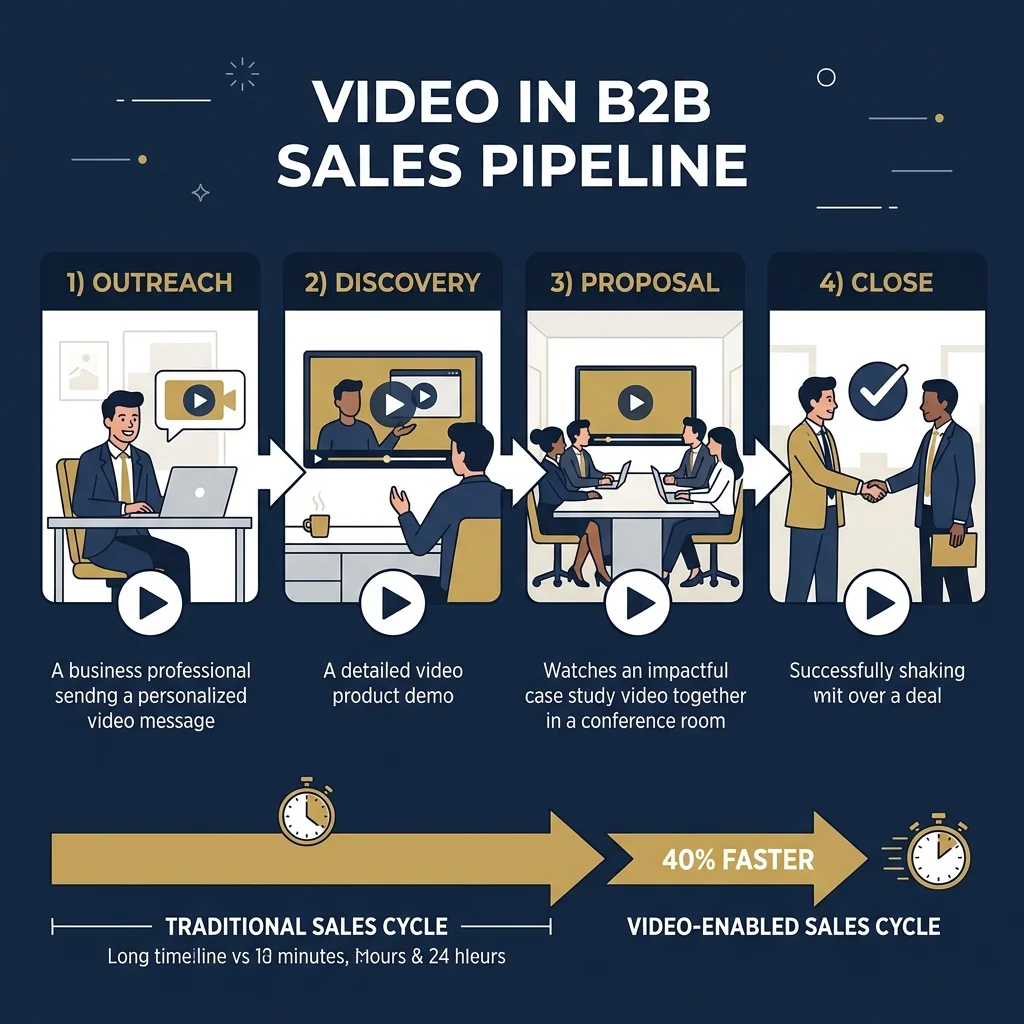
Stage 1: Outreach — Video Instead of Cold Email
Personalized video in prospecting is a revolution that many B2B companies have yet to embrace. Instead of another "Dear Director, I am reaching out..." email — send a 45-second recording where the sales rep speaks directly to the camera, shows their screen with the prospect's data, and specifically explains why they are calling.
The numbers speak for themselves:
- An email with a video has a 3x higher CTR than text alone.
- The response rate increases from 3% to 16%.
- Prospects spend an average of 37 seconds on a video vs. 8 seconds scanning an email.
But beware: this only works if the video is authentic and specific. A generic "company promo" sent to 500 people is just spam with a play button.
Stage 2: Discovery and Demo — The Film That Explains It for You
This is where professional production comes in. A demo video is not a Loom screen recording. It is a precisely edited, 2-3 minute piece that:
- Shows the solution in the context of the client's specific problem.
- Eliminates the need for a second "just to see it again" meeting.
- Can be watched by the client at 10 PM at home — exactly when they are actually making decisions.
The key difference between a demo video and a screen recording: storytelling. A screen recording shows features. A demo video shows transformation — "this is what your problem looks like, and this is what life looks like after implementation."
Stage 3: Proposal — Case Study Video as the Closing Weapon
This is where most companies lose the deal. The proposal is sent. Silence. Follow-up. Silence. Another follow-up. "I still need to discuss this with the board."
The problem isn't the proposal. The problem is that your champion inside the prospect's company lacks the tools to sell your solution to their boss.
A case study video solves this instantly. A 90-second film where a client from a similar industry says: "We had the exact same problem. We implemented this solution. The result: 30% growth, 50% time saved."
Your champion forwards this link to the board. The board watches it during a break between meetings. The film does the work for the sales rep, who would never have gained access to the C-suite boardroom anyway.
Stage 4: Close — Video to Overcome Objections
The same objections arise at every stage of sales. "It's too expensive." "It's too early." "We already have a vendor." "What about data security?"
Professionally produced FAQ videos / objection-handling videos are materials that the sales rep sends before the objection is even raised. Proactively. "Before we speak on Friday, I'm sending a short video on how we handle data security for clients in your industry."
This changes the dynamic of the meeting. Instead of defending against objections, you are having a conversation about implementation.
Case Study:
A SaaS company with a 20-person sales team was losing an average of 6 weeks in the evaluation stage. Prospects needed 2-3 additional demo meetings to understand the product. The pipeline was clogged, and reps spent 60% of their time on repetitive presentations instead of closing.
We produced a library of 12 video assets: 3 variants of a demo video (tailored to different buyer personas), 4 case study videos featuring clients from various industries, and 5 short videos addressing the most common objections. Each piece was 60-120 seconds long, optimized for email sending and CRM embedding.
The average sales cycle shortened from 14 to 9 weeks. The number of demo meetings per deal dropped from 3 to 1.5. Sales reps regained 15 hours a week for active selling. After 6 months, the company saw a 28% increase in closed deals with the same team.
What Should a Sales Video Library Include?
A professional sales enablement video library is not just one film. It is a system of assets tailored to the stages of the sales process and buyer personas:
Prospecting Materials:
- Elevator pitch video (30 sec) — who we are and why it matters to you.
- "Trigger event" video (45 sec) — a reaction to a specific event in the client's industry.
Discovery/Demo Materials:
- Product demo video (2-3 min) — variants for different personas (CEO vs. CTO vs. CFO).
- Feature highlight videos (60 sec) — short clips about specific features/services.
Proposal/Closing Materials:
- Case study video (90 sec) — the client talks about results, not the process.
- Objection-handling video (45-60 sec) — answers to the TOP 5 objections.
- "What's next" video (60 sec) — visualizing the onboarding process step-by-step.
Champion Enablement Materials:
- Executive summary video (90 sec) — material to forward to the prospect's board.
- ROI calculator walkthrough (2 min) — visualizing the return on investment.
How Much Does It Cost and What's the ROI?
Producing a full library of sales enablement videos (10-15 assets) is a one-time investment with a lifecycle of 12-18 months. The cost depends on complexity — but let's look at the ROI:
If your team has 10 sales reps, the average deal is worth €50,000, and the sales cycle shortens by 30% — you gain 2-3 additional closed deals per rep annually. With 10 people, that's €1-1.5 million in additional revenue — from an investment that costs a fraction of that amount.
And that's not counting time saved. If every sales rep regains 10 hours a week thanks to a video demo instead of a live presentation, that's 5,200 hours a year. Five thousand two hundred hours that your most expensive people can spend closing deals instead of repeating the same slides.
Why "DIY" Doesn't Work
Sales reps can record simple personalized videos themselves (using Loom or Vidyard). But demo videos, case studies, and champion enablement materials must be professional. Why?
Your client forwards a case study video to their board. If it looks like a webcam recording in an open-plan office, it signals: "this company is small, cheap, and unprofessional." If it is a professionally produced asset with good audio, lighting, and storytelling, it signals: "this is a serious partner we can trust."
In B2B sales, where deal values reach tens or hundreds of thousands, the quality of the video material directly influences the perceived value of your solution.
Frequently Asked Questions (FAQ)
Will sales video replace sales reps?
Absolutely not. Video eliminates repetitive, low-productivity tasks (multiple demos, answering the same questions) and frees up reps time for what they are irreplaceable at: building relationships, negotiating, and closing. The best sales teams use video as a multiplier, not a replacement.
How many videos does a sales team need to start?
The minimum effective library is 5 assets: 1 demo video, 2 case study videos, and 2 objection-handling videos. This covers the critical points in the funnel. A full library (10-15 assets) provides a systemic effect, but you can build it in stages.
How do you measure the effectiveness of sales video?
Three key metrics: 1) Response rate in outreach (comparing emails with video vs. without), 2) Sales cycle length (average days from first contact to close), 3) Win rate (percentage of won deals). Tools like Vidyard and HubSpot allow you to track who watched, how much, and when.
Is one demo video enough for all clients?
No. Different buyer personas have different priorities. The CEO wants to know about ROI. The CTO about technical integration. The CFO about costs. We recommend a minimum of 2-3 demo video variants tailored to key decision-making personas.
How often do you need to update the video library?
Demo and product videos: every 12-18 months or during major product updates. Case studies: add new ones quarterly — fresh stories with recent clients work best. Objection videos: update when new, recurring objections appear in the pipeline.
Do you want to know how much time your sales team loses on repetitive presentations? Call us: +48 663 393 700 or write to info@semastudio.pl — we will help you design a video library that closes deals faster.